Case Study · 2023 to 2024

WeSchool: Mobile and GenAI

A mobile learning app used by 1M+ people, and the AI course-creation features that took instructors from a blank page to a finished course in under 10 minutes.

Role
AI Product Manager
Timeline
2023 to 2024
Platform
2M+ Users
Focus
Mobile + GenAI Authoring
1M+
Mobile app downloads
2M+
Users across the platform
5h → 10m
Course creation time, with AI
60%
AI feature adoption, up from 45%

Building a course took hours. Most instructors never got past the outline.

WeSchool's mission was to make learning as effective as possible, especially on mobile. But the tooling to create a course hadn't caught up with that ambition. Instructors and corporate trainers, people building onboarding paths for customer success or marketing teams, faced the same blank page every time: sketch a structure, write every lesson inside it, and only then start teaching. That took five hours or more, and it was tied to a desktop.

Before
~5 hours to build a course · Manual outline and lesson writing · Blank page every time · Desktop only
After
Under 10 minutes to a full draft · Structure and lessons generated automatically · Editable at every step · Full parity on mobile

AI Product Manager, owning the mobile app and WeSchool's GenAI feature line.

I owned the roadmap for two things at once: the core mobile app experience, and every generative AI feature layered on top of it, DraftWithAI, the AI Course Generator, and AI-assisted text editing built on the TipTap editor. That meant product strategy, user research with instructors and corporate trainers, feature prioritization, and owning the metrics that told us whether the AI features were actually landing.
What I owned
Mobile app roadmap · AI Course Generator · DraftWithAI · AI text editing on TipTap · User research · Feature prioritization
How I measured it
Time to first draft · AI feature adoption rate · Course completion rates · Mobile app downloads and retention
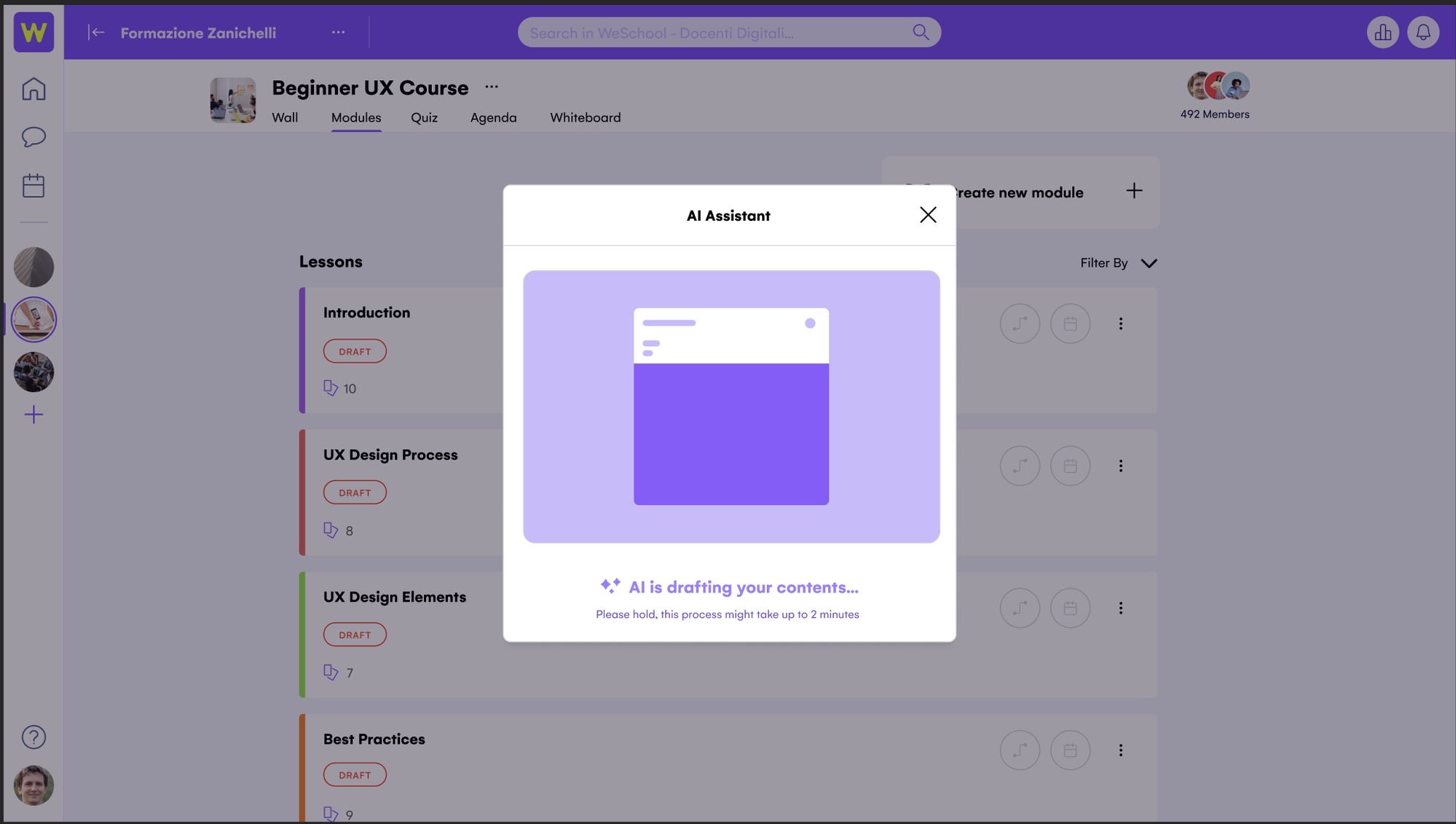
The AI Assistant drafting a course from a single prompt
WeSchool AI Assistant modal showing 'AI is drafting your contents, please hold, this process might take up to 2 minutes'
The instructor answers five short questions, then the AI Assistant drafts every module and lesson.
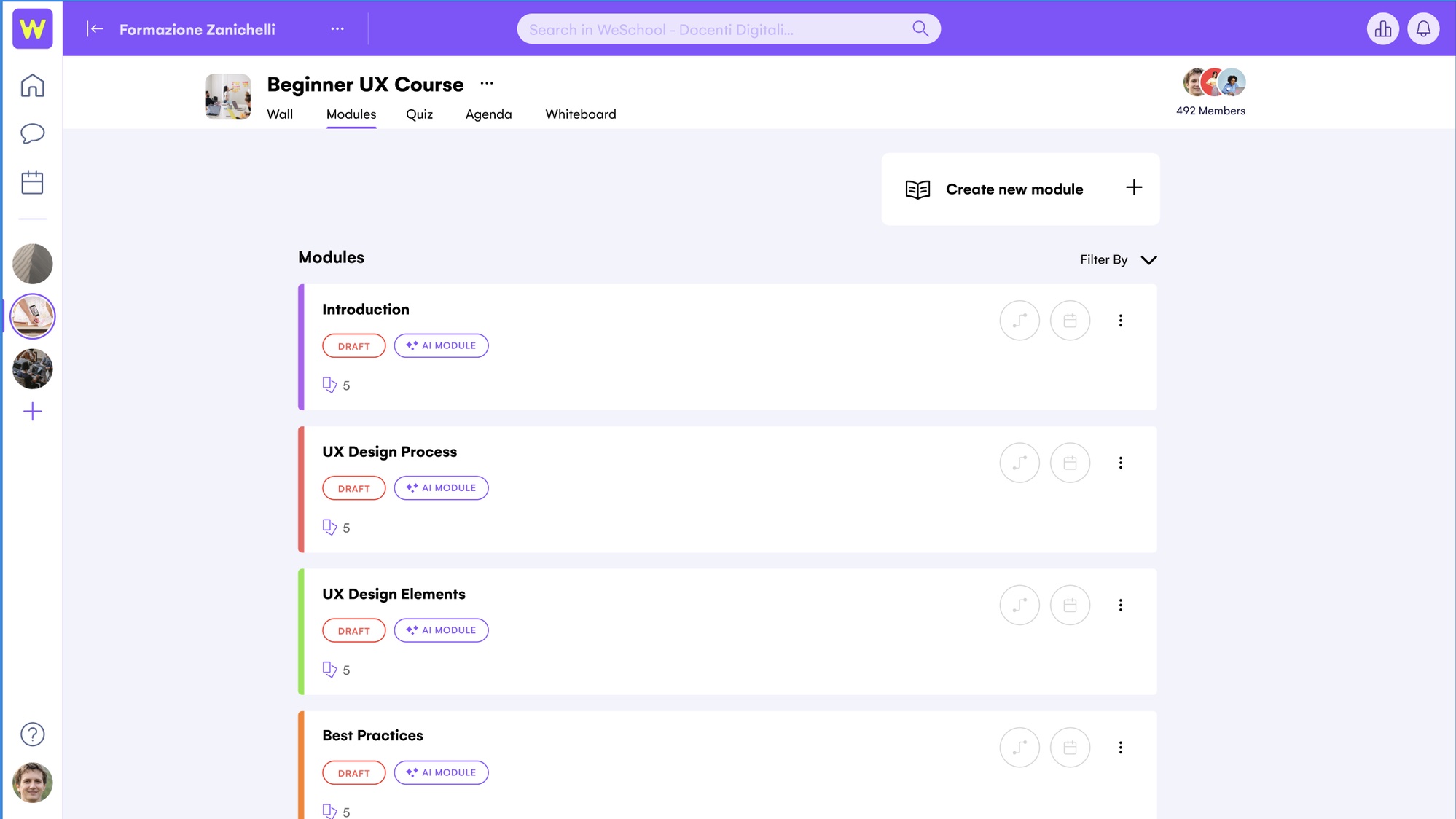
The output: a full module structure, drafted by AI
WeSchool Modules screen showing four AI-generated modules, each marked DRAFT and AI MODULE with five lessons
Four modules, each pre-populated with five lessons in draft state, ready for an instructor to edit and publish.

Build for the phone in someone's hand, not the desk they weren't at.

Research with instructors and corporate trainers surfaced a consistent pattern: the moment someone had the idea for a course was rarely at their desk. Trainers building onboarding paths for customer success or marketing teams needed to draft on the go, in between meetings, not the other way around.

01
Mobile had to be a first-class course builder, not a companion app
The full AI Assistant flow, audience, topic, structure, drafting, needed to work end to end on a phone, not just in reading mode.
02
AI needed to draft, not decide
Every generated module and lesson stayed fully editable. DraftWithAI gave instructors a starting point to shape, not a black box to accept.
03
The text editor needed the same AI leverage as the outline
Extending GenAI into inline editing on TipTap meant the help didn't stop once the structure existed, it carried into every lesson.

"The bottleneck was never the instructor's expertise. It was the blank page. We didn't try to replace them, we removed the five hours between the idea and the draft."

The product evolution: from blank page to mobile-native drafting
PHASE 1 Manual Authoring Instructors write every lesson by hand assist PHASE 2 DraftWithAI, Desktop AI drafts, instructor edits go mobile PHASE 3 · SHIPPED AI Assistant, Mobile-Native Full course drafted and edited from a phone

Course creation dropped from 5 hours to under 10 minutes, and adoption followed.

With the AI Course Generator and DraftWithAI live, the platform's most tedious workflow became its fastest. Instructors and corporate trainers felt the difference in a single session, roughly 5 minutes to generate a full draft and another 5 to review and adjust it, and adoption climbed as teams like customer success and marketing used it to stand up onboarding paths in a fraction of the time.
5h → 10m
Course creation time, per course
60%
AI feature adoption, up from 45% at launch
1M+
Mobile app downloads
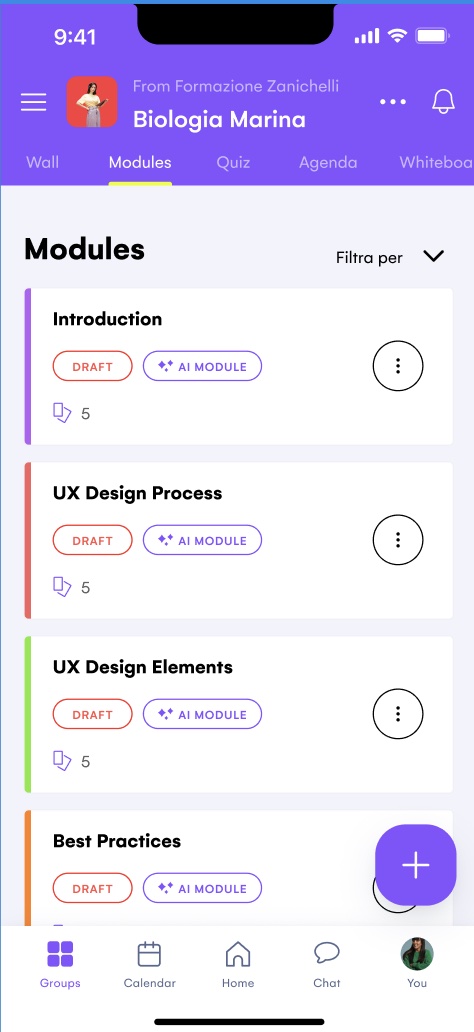
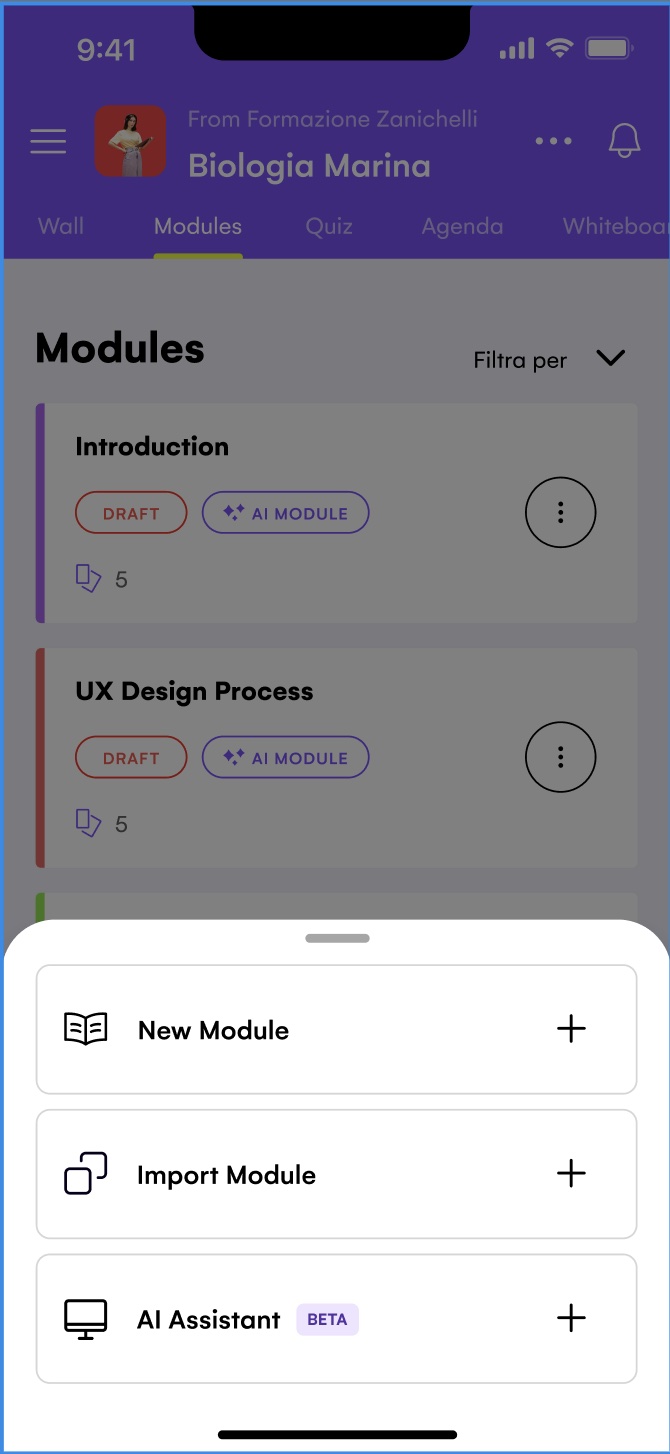
The mobile AI Assistant: the same course-building power, in your pocket
WeSchool mobile app module sheet with New Module, Import Module, and AI Assistant options
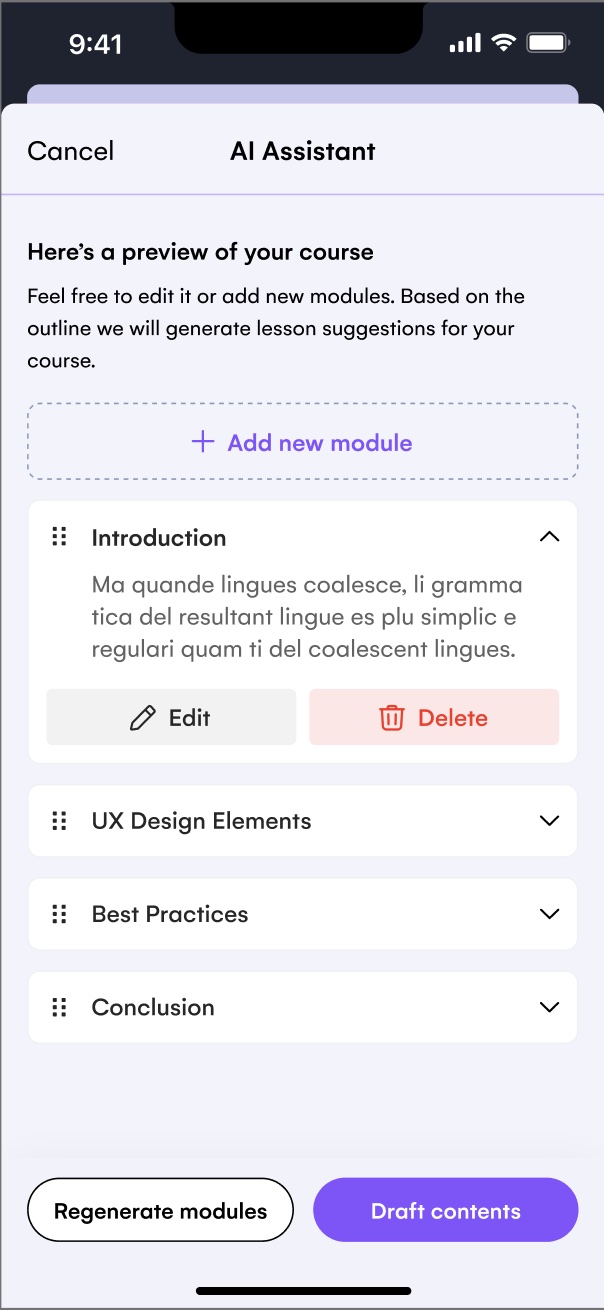
WeSchool mobile AI Assistant showing a generated course preview with expandable modules
WeSchool mobile app Modules list with four AI-generated modules marked DRAFT and AI MODULE
Tap AI Assistant, preview and edit the draft, then publish. Full course-building parity on mobile.

Removing hours matters more than removing humans.

AI's job was to remove hours, not judgment. Instructors kept full control of every module and lesson. DraftWithAI gave them a draft to react to, not a decision to accept.
Mobile parity forced better decisions on desktop too. Building the AI Assistant to work end to end on a phone meant every step, audience, topic, structure, had to be simple enough to finish in a few taps, which made the desktop flow better as well.
Adoption compounds when the win is immediate. A course going from hours to minutes is the kind of change instructors feel in a single session, which is why adoption climbed from 45% to 60% without a heavy rollout push.
The same AI investment should extend past the first feature. Once GenAI proved itself in course structure, extending it into inline text editing on TipTap let the same lift compound through every lesson, not just the outline.